Phone Cleaner & Manager-Pure
- 4.0
- Rating
- 100.00K
- Installs
- Free
- Price

 Analysis by App-foxy
I spent time with Phone Cleaner & Manager-Pure as a practical storage tool rather than treating it like a magic speed booster. That distinction matters. Its purpose is to help you look at the space on your phone, identify material that may no longer be useful, and make more deliberate decisions about what stays. I found the experience most valuable when my phone felt crowded and I wanted a simple place to begin, not when I expected one tap to transform the entire device.
This is a free tools app from R.Khan Apps Cottage, aimed at everyday Android users who want a more approachable way to manage phone space. It is suitable for Everyone, and its modest learning curve makes it easier to recommend to someone who does not enjoy digging through system menus. At the same time, storage cleaning is a sensitive job: removing the wrong item can be inconvenient or worse. My overall view is positive, but I would use it as a decision-making assistant, not as an excuse to approve every cleanup suggestion without reading it.
What the app feels like in daily use
The first useful quality is its focused identity. Rather than presenting itself as a broad maintenance suite packed with unrelated extras, it stays centered on the problem most people actually notice: the phone is running short of room, and the source is not obvious. That focus makes the app less intimidating than a long settings page filled with technical labels.
You May Also Like

 Blood Strike: 2.5 Anniversary
Blood Strike’s Loadouts Turn Every Drop Into a Tactical Gamble
A close look at Blood Strike’s custom loadouts: how fast access to signature weapons reshapes its battle royale rhythm, rewards preparation, and narrows the gap between fights.

 Pandora - Music & Podcasts
Pandora’s Music Is Easy to Start, but Harder to Recover
Pandora’s strength is its low-effort path from a seed to a station. Its weak spot is how much confidence it asks you to place in connection, setup, and quiet recovery.

 8 Ball Pool
 Is Built on Rivalries, Rematches, and Routine
A close look at the rivalries, rematches, shared routines, and unanswered safety questions that turn a quick pool match into a persistent mobile community.

 Samsung Music
’s Quiet Strength Is Playing What You Already Own
Its reach comes less from spectacle than from dependable access to a personal library. That simplicity is both the app’s strongest retention engine and its ceiling.

 AccuWeather: Weather Radar
AccuWeather Review: A Quick, Clear Forecast for Everyday Decisions
For everyday plans, the best forecast is the one you can understand quickly. AccuWeather makes rain timing, radar, and local conditions easy to act on, with a few trade-offs.

 Hill Climb Racing
Why Hill Climb Racing Still Turns Crashes Into One More Run
A tiny car, a bumpy hill and one more upgrade: Hill Climb Racing keeps resurfacing because its simple chaos makes every near-miss feel personal.
More From Our News Desk
View All News


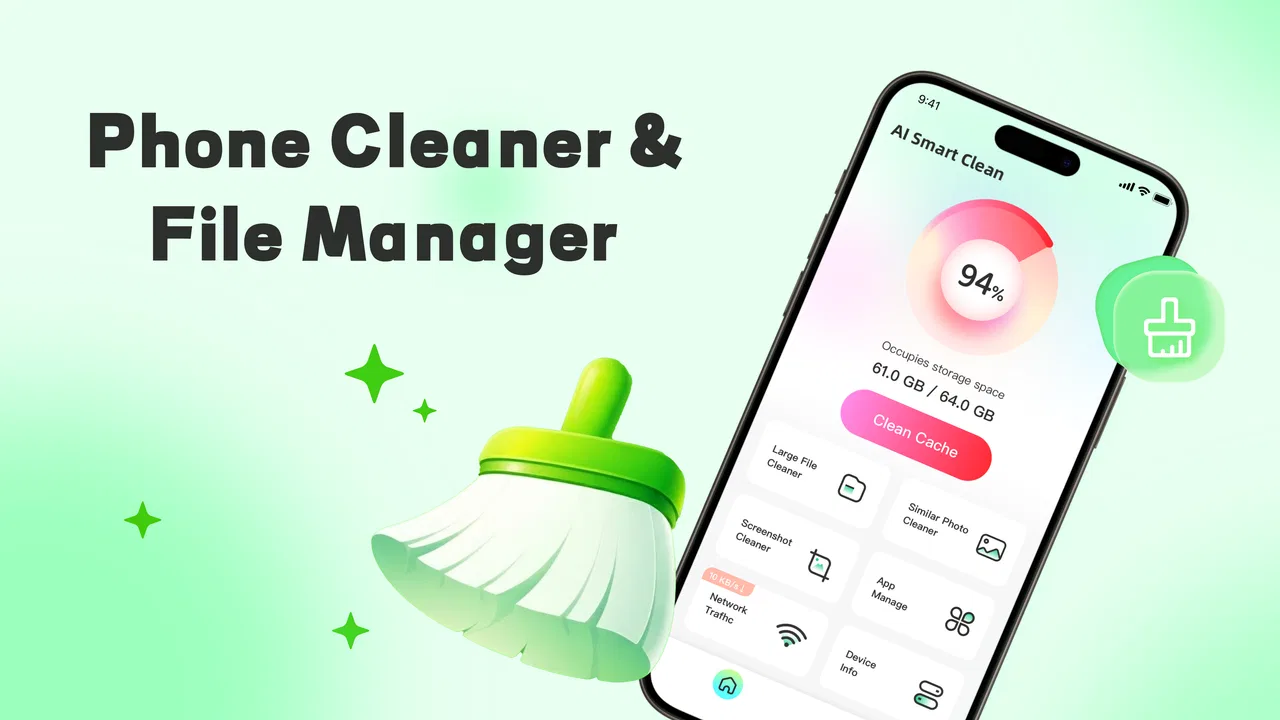
The store describes it as a minimalist and efficient mobile phone space management assistant, and that idea comes through in the way I approached it. I did not need to think like a technician before opening it. The natural workflow is to inspect the storage situation, review what appears removable, and then decide what deserves attention. For a casual user, that sequence is more useful than a wall of performance claims.
That does not mean every result should be treated as a command. A cleaner can identify likely clutter, but only the owner knows whether an old download is actually disposable, whether a duplicate image is the better copy, or whether a large file is needed for a trip. The strongest habit with Pure is therefore simple: scan first, review second, remove last.
The app has reached over one hundred thousand installs and holds a four-point average from around eight hundred ratings, with dozens of written reviews. Those figures suggest a real audience has tried it, while also reminding me that a storage utility should be judged by the quality of its decisions, not by popularity alone. The current release is version two point one point two, and it runs on Android eight or newer.
Where connectivity enters the experience
A phone-cleaning tool is easy to imagine as completely self-contained, but the surrounding experience can still be affected by connectivity. In real use, I would avoid beginning a major cleanup while moving between weak mobile coverage, switching networks, or relying on a limited data plan. The safest approach is to open the app when the phone is stable, let its storage view settle, and keep the device available while reviewing the results.
This is less about assuming a particular online feature and more about good housekeeping. If the app needs time to examine content or refresh its view, interruptions are unhelpful. A brief battery-saving or connection change should not become a reason to rush through deletion. I would also avoid combining a cleanup session with a large backup or file transfer, because several storage-heavy tasks at once make it harder to understand what is happening.
For people who mainly use mobile data, the sensible routine is to inspect the app’s behavior during a normal, controlled session before making it part of a weekly habit. Watch the phone’s data indicator and battery level, and do not assume that every utility task is equally light on resources. The app’s value is in organizing decisions about space; it is not worth creating a new connectivity concern by using it carelessly.
A realistic mobile scenario
Imagine preparing for a weekend away. You want to download maps, save a few videos, and take photos, but the phone warns that storage is nearly full. Opening the cleaner at that point can give you a more useful starting point than deleting random images from the gallery. I would first look for obvious, replaceable material: forgotten downloads, repeated media, or files connected to an old task.
The important trade-off is speed versus confidence. A quick sweep may recover room sooner, but a slower review lowers the chance of losing something important. I would keep family photos, work documents, travel confirmations, and anything whose purpose is unclear until I had checked it elsewhere. Once the phone has enough breathing room, I would return to the original task rather than continuing to delete simply because more items are available.
This scenario also shows why a cleaner is not the same as cloud storage. It may help you decide what to remove, but it does not replace a backup plan. If a file matters, preserve it through a method you trust before treating it as clutter. That is especially important when connectivity is unreliable and you cannot immediately verify that a remote copy is available.
What happens when a cleanup session goes wrong
The main failure point is not necessarily an app crash. It is a mistaken decision. A file can look old and still be useful; a duplicate can be the version with the better quality; a cached item may return after the related app is used again. For that reason, I prefer staged cleanup. I review a small group, remove only what I recognize, and then check the phone before continuing.
If the screen stops responding, the results look incomplete, or the phone changes network during the process, I would pause instead of repeatedly tapping cleanup. Reopen the app later, inspect the storage again, and compare the result with the phone’s own storage settings. That second view is valuable because it gives you a reality check rather than relying on one interface.
There is also a practical recovery rule that many users overlook: do not fill the newly recovered space immediately. Leave some room for system activity, camera use, messaging attachments, and temporary files. If you clear several gigabytes only to download large media straight away, the phone may appear to have returned to the same problem. The app can help with the first step, but sustainable space management requires changing the habit that caused the shortage.
When a cleanup recommendation is unclear, I would choose the conservative option. Search for the file through the phone’s file manager, open it if appropriate, and confirm its location and purpose. This extra minute is more valuable than recovering a little additional space. A minimalist tool is at its best when it reduces confusion, not when it encourages blind automation.
Using it without wasting data or attention
Pure makes the most sense as an occasional check rather than an app that must be opened constantly. A useful routine is to inspect storage before a known high-demand activity, such as recording a long event, installing a large application, or downloading entertainment for travel. That timing turns the cleaner into a planning tool instead of an emergency button.
I would also separate three different jobs that are often mixed together: finding unnecessary files, protecting important files, and improving performance. The first is where this app fits naturally. The second still belongs to backups and careful file organization. The third is more complicated than clearing space; a phone can feel slow because of age, heat, background activity, or demanding software even when storage is available.
That separation is one of the less obvious advantages of using a focused utility. It gives you a clearer question: “What can I safely remove?” rather than the vague expectation that the phone should become new again. If your real problem is a damaged battery, poor signal, or an application that constantly misbehaves, a storage manager is unlikely to solve it.
For privacy-conscious users, I would make a habit of reading each proposed category before approving anything. A cleaner handles personal material by definition, so trust should come from your own review of the screen and your comfort with the app’s behavior, not from the word “cleaner” in its name. Keep especially sensitive files out of any bulk action unless you have positively identified them as disposable.
How it compares with built-in Android tools
Android already includes storage controls, and those remain the best first stop for users who want the fewest moving parts. The system settings are close to the device’s core storage information and may be enough for someone comfortable navigating categories manually. If you only need to see what occupies space or clear a familiar application cache, the built-in route can be more direct.
Pure earns its place by offering a friendlier layer for people who find those menus difficult to interpret. Its appeal is not that it makes the underlying storage laws different. It is that a dedicated interface can turn an unpleasant chore into a more approachable review. I would choose it for guidance and convenience, while still using Android’s own storage screen as a cross-check before a large deletion.
It also differs from aggressive “phone booster” apps that bundle cleaning with sweeping performance promises. I prefer the narrower purpose here. A tool that helps me examine space is easier to judge than one that claims to fix every aspect of a phone. Still, anyone who wants detailed file control, directory-level organization, or a full backup workflow may be better served by a capable file manager and a separate backup service.
There is no single best choice for every phone. Newer Android users who already understand their storage categories may find Pure unnecessary. Older relatives, busy users, or people who repeatedly forget where downloads and large media accumulate may appreciate the simpler starting point. The deciding factor is not technical skill alone; it is whether the app’s presentation helps you make safer choices.
Who will benefit most—and who should skip it
I would recommend it to someone whose phone repeatedly reaches low-storage warnings and who wants a clear, dedicated place to begin. It is also a reasonable fit for users who are uncomfortable with system settings but willing to inspect files before deleting them. Because it is free, trying it does not require a purchase decision, and the Everyone rating makes it approachable for a broad household audience.
I would be more cautious about recommending it to anyone expecting automatic, permanent performance improvements. Clearing space can help when storage pressure is the real issue, but it cannot repair every cause of sluggish behavior. I would also steer away from any cleanup app, including this one, if the user tends to approve bulk actions without checking names, locations, or previews.
People with highly organized phones may not gain much. If your photos are already backed up, downloads are regularly sorted, and Android’s own storage screen is easy for you to use, adding another utility may create more maintenance than it removes. Likewise, users who need advanced file operations should look for a full file manager rather than expecting a minimalist cleaner to become an all-purpose organizer.
Small habits that make the app more useful
My first tip is to clean by purpose, not by size alone. The largest file is not automatically the best target. A forgotten recording may be disposable, while a smaller document may be essential. Looking at why a file exists produces better results than chasing the biggest number on the screen.
My second tip is to make one controlled pass after a major event. After a holiday, a move, a school project, or a work deadline, temporary media tends to collect. That is a better moment for review because you remember which files were created for that event. Waiting for the memory to fade makes identification harder.
My third tip is to keep a buffer after cleaning. Do not measure success only by the amount removed. The phone should have enough free room for ordinary use, and the best result is a device that stays comfortable for longer. If storage fills again quickly, investigate which type of content keeps returning instead of repeating the same deletion cycle.
My fourth tip is to use connectivity deliberately. If you are about to travel through an area with unstable coverage, handle your storage review before leaving and preserve anything important while you still have dependable access to your normal backup method. That workflow avoids turning a simple cleanup into a recovery problem on the road.
My final view of the cleaner
After using it as a focused storage assistant, I see a useful but limited tool. Its strongest quality is approachability: it gives ordinary Android users a dedicated way to think about crowded storage without forcing them to become experts first. The free price removes a common barrier, and the app’s tools category positioning feels accurate because its value is practical rather than entertaining.
The limitations are equally important. A cleaner cannot know the personal value of every file, cannot substitute for backups, and should not be confused with a universal performance repair kit. Network conditions, battery level, and the availability of a safe backup method all matter around the cleanup session, even when the central task is local storage management. I would use it with patience, not panic.
My recommendation is therefore straightforward: try it if low storage is a recurring annoyance and Android’s own menus feel too bare or confusing. Start with a small review, verify anything important, and compare the result with the system storage view. Skip it if you already have a reliable file-management routine or if you want deep control over files and backups.
The best way to use Phone Cleaner & Manager-Pure is as a careful guide, not an automatic delete button. Used that way, it can make an ordinary mobile chore easier and less intimidating. Its connectivity story is similarly practical: prepare when your connection and battery are stable, avoid rushing during interruptions, and keep important data protected before cleaning. For the right user, that balance makes it a sensible addition to an Android maintenance routine.
FAQs for Phone Cleaner & Manager-Pure
01What features does Phone Cleaner & Manager-Pure offer?
Phone Cleaner & Manager-Pure provides a comprehensive suite of tools to optimize your device's performance. Key features include junk file removal, memory boost, battery saver, and app management. It also offers privacy protection by cleaning app caches and unnecessary files. These features are designed to enhance speed and free up storage space.
02Is Phone Cleaner & Manager-Pure safe to use?
Yes, Phone Cleaner & Manager-Pure is safe and secure. It uses advanced algorithms to ensure that only unnecessary files are deleted, leaving important data untouched. The app is regularly updated to protect against security vulnerabilities, and it does not store or share your personal information.
03Does Phone Cleaner & Manager-Pure significantly improve device performance?
Phone Cleaner & Manager-Pure is designed to enhance device performance by removing junk files and optimizing RAM usage. Users have reported noticeable improvements in speed and responsiveness. However, the extent of improvement can vary based on the initial condition of the device and the amount of clutter it has accumulated.
04Are there any in-app purchases or ads in Phone Cleaner & Manager-Pure?
The basic version of Phone Cleaner & Manager-Pure is free to download, but it includes ads. There are in-app purchases available that allow users to upgrade to an ad-free experience and unlock additional features. This can be a worthy investment for those seeking enhanced functionality without interruptions.
05How often should I use Phone Cleaner & Manager-Pure to maintain my device?
It is recommended to use Phone Cleaner & Manager-Pure at least once a week to maintain optimal performance. Regular cleaning helps prevent the buildup of junk files and ensures that your device runs smoothly. For heavy users, more frequent use may be beneficial to handle the increased data accumulation.
Pros
- Boosts device performance efficiently.
- User-friendly interface for easy navigation.
- Effective junk file cleaning.
- Battery optimization feature included.
- Supports multiple languages.
Cons
- Contains in-app ads.
- Limited features in free version.
- Requires constant updates.
- May ask for unnecessary permissions.
- Can drain battery during scans.

Phone Cleaner & Manager-Pure
Gallery